
Let me paint you a familiar picture. You have a crisp, beautiful business logo that looks amazing on your website and business cards. Now, you want to take that same logo and stitch it onto company polo shirts, caps, or tote bags. You imagine your team wearing sharp, professional-looking gear that screams quality. But then, reality hits. You try to send your logo to the embroidery shop, and they ask for a file format you have never even heard of. You feel lost. You wonder if you need a special degree just to get a simple logo on a shirt.
I promise you, it is not that complicated. You just need to understand one critical step: the Conversion of Business Logo to SEW File Format. This is the process that takes your logo from a simple picture on a screen and transforms it into a set of precise instructions that an embroidery machine can actually read and follow. Without this step, your machine is like a lost tourist without a map. It simply does not know where to go or what to do. So, let us break this down together in plain, simple language. No techy nonsense, just real talk to get you from stuck to stitched.
What Exactly is a SEW File Anyway?
Before we dive into the how, let us first understand the what. A SEW file is not your average image file like a JPG or PNG. You cannot just double-click it and see your logo . Instead of storing pixels and colors, a SEW file stores a specific set of sewing instructions. It tells your embroidery machine exactly where the needle should start, where it should move next, how long each stitch should be, when to jump to another section, and when to change thread colors . Think of it as a detailed GPS route for your needle to follow, stitch by stitch.
This file format is most commonly associated with older Janome and New Home embroidery machines, and some Elna models as well . It is a bit of a legacy format, meaning many newer machines have moved on to formats like JEF. But if you have an older machine, or your embroidery shop uses one, the SEW format is exactly what you need . The important thing to remember is that you cannot just save a JPG with a .SEW extension at the end. The file must be created through a dedicated digitizing process to contain that all-important stitch data .
Why You Cannot Just Use a Regular Image File
Here is the number one mistake I see business owners make. They think an embroidery machine works like a printer. You send a picture, and it prints it onto the fabric. But that is completely wrong. A printer sprays ink onto a flat surface. An embroidery machine sews thread into fabric using a needle, and it needs precise instructions for every single movement .
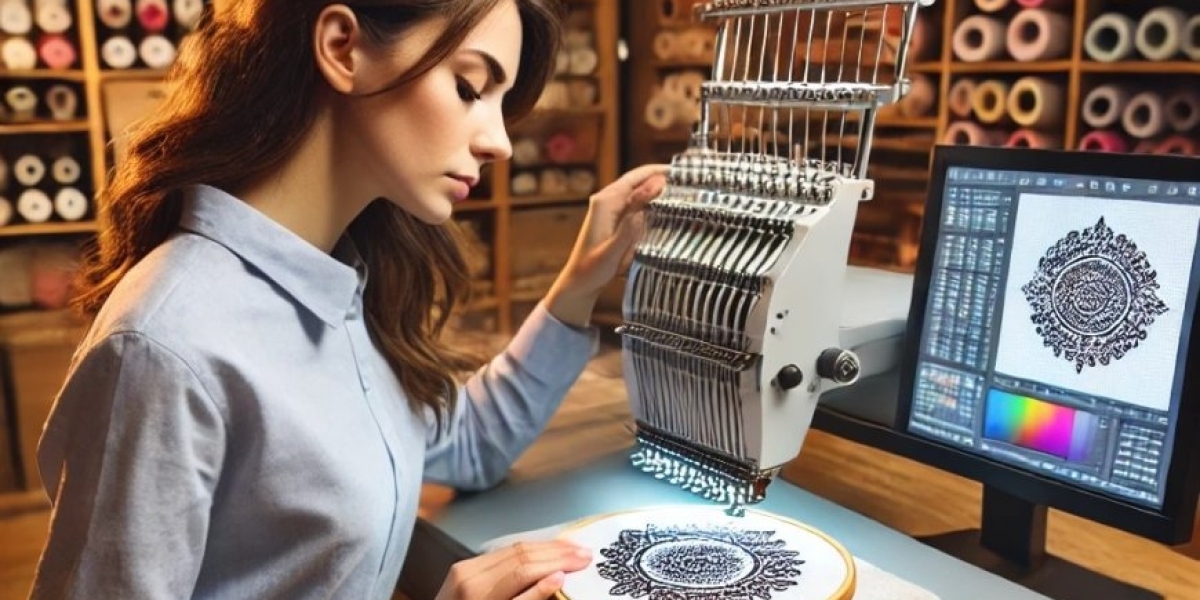
Embroidery machines do not understand the pixels that make up your logo . If you try to load a JPG, it will just see a blurry mess of colors. It has no idea where to place the needle to create a clean, sharp edge. That is where digitizing comes in. Digitizing is the art and science of converting your artwork into that stitch file . It transforms your logo into a digital map of stitches that guides the machine to create a perfect replica on your apparel .
The Secret to Production-Ready Results
So, how do you get a logo that looks production-ready? One that stitches smoothly without breaking threads or puckering the fabric? It is all in the details of the conversion process. Professionals follow a set of steps to ensure the final file is flawless.
First, they start with a clean, high-resolution version of your logo. Ideally, a vector file like AI or EPS, which is mathematically defined and can be resized without losing quality . Then, they import that image into professional software, like Wilcom Embroidery Studio or Hatch . But here is the crucial part: they do not just press an "auto-convert" button.
A skilled digitizer manually assigns specific stitch types to different parts of your logo. Large, filled areas get a tatami or fill stitch. Thin borders and text get a satin stitch for a smooth, raised look . They also set the stitch direction, which affects how the light reflects off the final product. They adjust the stitch density so the design is neither too bulky nor too sparse. They add underlay stitches, which act like a secret foundation to stabilize the fabric and prevent puckering. They even account for "pull compensation," which is a fancy way of saying they stretch the design a tiny bit so it looks perfectly straight after the fabric pulls during stitching . This level of detail is what separates an amateurish, lumpy logo from a professional, polished one that makes your brand look incredible.
The Temptation of Auto-Digitizing (And Why to Avoid It)
I know what you might be thinking. "Can't I just buy some software and do this myself?" Sure, you can. A lot of software out there even boasts an "auto-digitize" feature. And I get the appeal. It sounds so easy. Click a button and boom, your logo is ready .
But here is the dirty little secret. Auto-digitizing often leads to terrible results . These automatic tools struggle with complex logos, gradients, and especially small text. They randomly assign stitches without understanding the texture, direction, or how the fabric will behave. The result? Distorted shapes, messy outlines, text that looks like a blob, and a design that just does not resemble your beautiful logo at all . You end up wasting time, expensive thread, and perfectly good apparel on test runs that look terrible.
The Smarter, Cost-Effective Approach
So, what is the smarter move? Hire a professional digitizing service . I know, I know, you might think it is expensive. But actually, it is surprisingly affordable. Professional digitizing for a simple logo can start at around $10 to $25 . When you compare that to the hundreds of dollars you would spend on professional software, not to mention the dozens of hours you would waste learning it, it is a no-brainer .
Here is another reason this is a smart financial move. Your local embroiderer likely charges a setup fee that includes the cost to digitize your logo, often between $50 to $80 . If you provide them with a ready-to-use SEW file, they just have to hoop the garment and run the machine. They can skip the expensive setup, which can save you a significant chunk of money, especially on larger orders .
When you hire a pro, you are not just buying a file. You are buying peace of mind. They know exactly what format your machine needs, whether it is SEW, DST, PES, or another format . They know how to adjust for different fabrics like the curve of a cap or the stretch of a polo shirt. They deliver a production-ready file that will stitch out perfectly the very first time . No fuss, no wasted materials, just a flawless result.
Conclusion
Converting your business logo to a SEW file format is the essential bridge between a great idea and a professional product. You cannot skip this step and expect a clean result. It is the process that translates your digital artwork into a language your embroidery machine can understand. While it is possible to attempt this yourself with software, the learning curve is steep, and the auto-digitizing tools often ruin the design. The clear and most cost-effective path is to partner with a professional digitizing service. They will handle the technical complexity, provide you with a production-ready file, and ensure your logo looks sharp, clean, and perfectly stitched on every single piece of apparel. This is the secret to professional-looking branded merchandise that you can be proud of.